
# Financial Statements in SmartPro ERP The **Financial Statements Module** in SmartPro ERP is designed to provide a comprehensive view of the company's financial position. It enables users to generate official reports that reflect the company's financial health and performance. ## Key Features - **Income Statement**: Shows the company's revenues, expenses, and net profit for a specific period. - **Balance Sheet**: Displays assets, liabilities, and equity at a given date. - **Cash Flow Statement**: Tracks the movement of cash in and out of the business. - **Trial Balance**: Lists all accounts and their debit/credit balances before final adjustments. - **General Ledger**: Complete record of all journal entries organized by account. - **Accounts Receivable Aging**: Analyzes outstanding customer invoices by age. - **Accounts Payable Aging**: Analyzes outstanding supplier invoices by age. ## Report Customization Users can customize financial reports by: - Selecting specific date ranges - Filtering by cost center or department - Choosing accounts to include or exclude - Adjusting display formats and grouping options ## Export Options Reports can be exported in multiple formats: - PDF - Excel - Word - CSV ## Compliance and Standards SmartPro ERP ensures that all financial statements comply with Saudi accounting standards and ZATCA requirements for businesses operating in the Kingdom of Saudi Arabia.
1 min read#274Video included
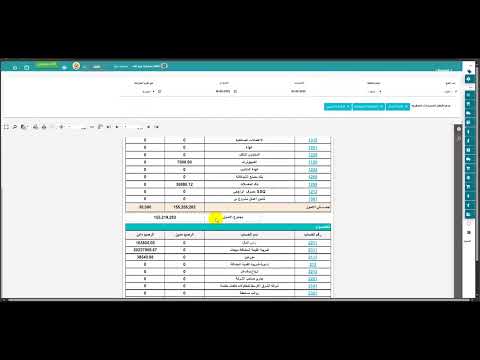
يستعرض هذا الفيديو القوائم المالية في نظام SmartPro ERP ودورها في إعداد الإقرار الضريبي بدقة وامتثال كامل. 📊 تعرّف على كيفية استخراج القوائم المالية مثل الميزانية العمومية وقائمة الدخل بسهولة من نظام ERP محاسبي متكامل. 📈 يساعدك SmartPro ERP على ربط البيانات المحاسبية تلقائيًا لتجهيز الإقرار الضريبي وفق متطلبات الجهات الرسمية. 🔍 دقة القوائم المالية تقلل الأخطاء الضريبية وتسهّل عمليات المراجعة والتدقيق المالي. 💼 حل مثالي للشركات والمحاسبين الباحثين عن نظام ERP يدعم الامتثال الضريبي واتخاذ القرار المالي.
Liked this guide?
Try SmartPro on your own data.
Live demo in 30 minutes, no credit card.